
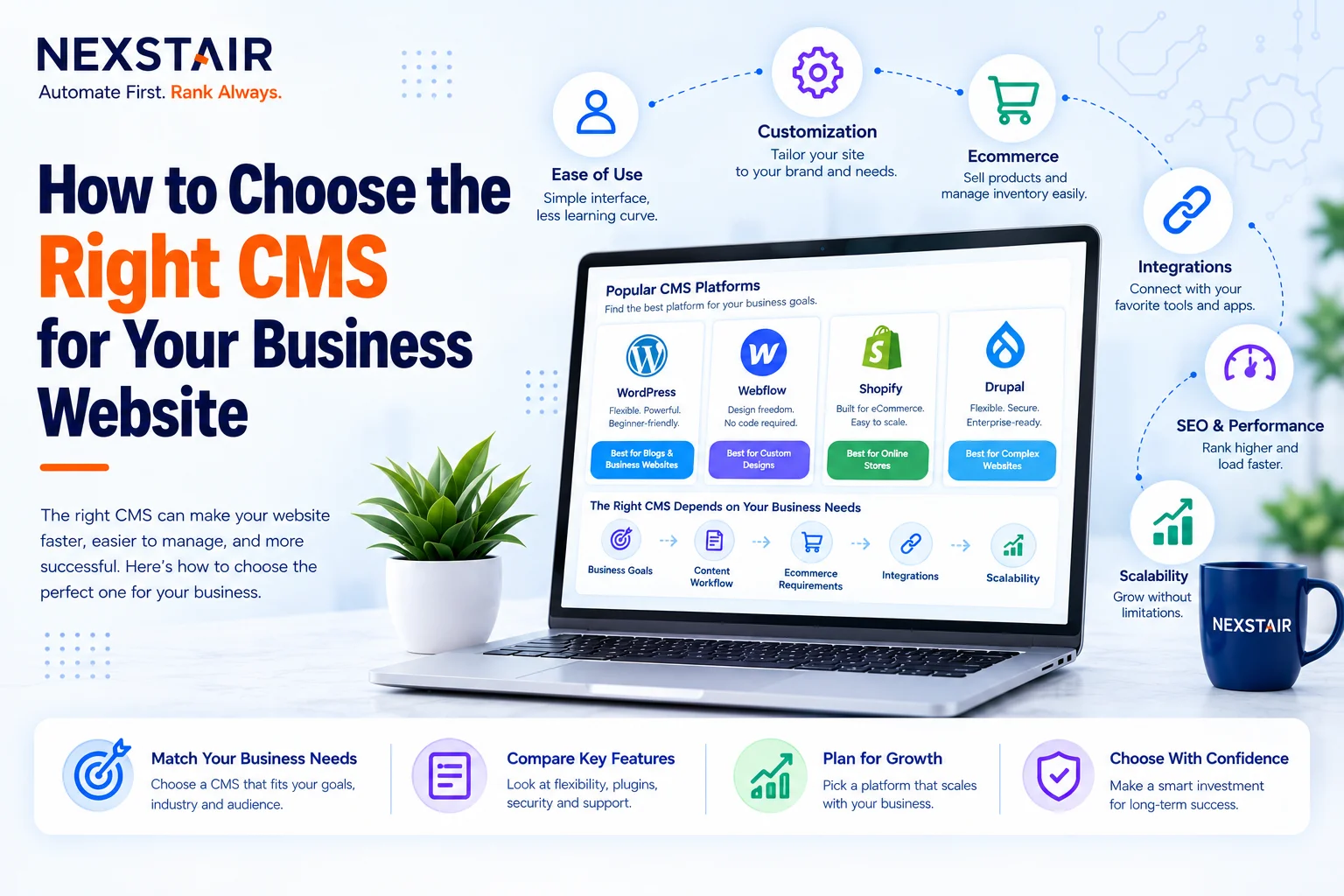
How to Choose the Right CMS for Your Business Website
Choosing a CMS for business use is an architectural decision, not a design decision, even though most business owners approach it the other way around. A content management system determines how easily your team can publish and edit content, how well your site performs technically, and how much the platform will cost to run and scale over the next several years, long after the initial launch excitement wears off.
Get this choice wrong and the consequences compound quietly. Teams end up fighting a clunky editor to publish a blog post, developers get stuck bolting on features the platform was never built to support, and migrating to something better becomes its own expensive project. Get it right, and the CMS disappears into the background, doing exactly what it should: letting the business run the website instead of the website running the business.
This guide walks through what a CMS actually does, how to define your requirements before comparing platforms, the factors that matter most in that comparison, headless versus traditional architecture, how popular platforms stack up by business type, the mistakes that most often derail a CMS decision, and a practical checklist to work through before committing.
Choosing a CMS for business What Actually Does
A content management system is the software layer that lets a business create, edit, organize, and publish website content without needing to write code for every change. It separates content from design and functionality, so a marketing team can update a page while developers work on the underlying site structure independently.
Beyond basic publishing, a CMS typically handles user permissions and roles, media storage, SEO settings like meta tags and URL structure, and integrations with other business tools such as a CRM or email platform. The specific mix of these capabilities, and how well each one is implemented, is what actually separates one CMS from another far more than surface-level feature lists suggest.
Define Your Website Requirements First
Comparing CMS platforms before defining requirements is the single most common reason businesses end up with the wrong one. Start with the business, not the software.
Clarify who will manage the website. A business owner updating a handful of pages has very different needs than a content team publishing daily, or multiple departments managing different sections independently. The more hands touching the CMS, the more that permissions, workflows, and ease of use matter.
Define site complexity. A simple five-page business website doesn’t need the same architecture as an e-commerce catalog with thousands of products or a content-heavy publisher running structured, reusable content across multiple formats. Matching platform complexity to actual need prevents both an underpowered CMS and an overbuilt one nobody on the team can maintain.
Identify required functionality. Does the site need e-commerce checkout, user account registration, multilingual support, or content personalization? Each of these narrows the realistic shortlist considerably before you even start comparing named platforms.
Assess your team’s technical skill level. A self-hosted, highly customizable CMS suits a team with development resources and a strong need for flexibility. An all-in-one platform with a simpler interface suits a team that prioritizes ease of use over granular control.
Key Factors to Evaluate When Choosing a CMS
Once requirements are defined, evaluate every candidate platform against the same set of criteria so comparisons stay fair and consistent.
Ease of use. The CMS needs an editing experience your actual team can use without constant developer intervention. A technically powerful platform that non-technical staff find difficult to manage creates ongoing friction long after launch, regardless of how capable it is on paper.
Flexibility and customization. A CMS should match your brand’s specific content requirements and workflows rather than forcing the business to adapt around generic, one-size-fits-all templates. More customization options generally mean better long-term scalability as needs evolve.
SEO capabilities. Built-in support for clean URL structures, meta tags, structured data, and page speed optimization directly affects visibility, since SEO performance is tied closely to the technical foundation a CMS provides.
Security. Ask what safeguards the platform offers against common vulnerabilities, how often it receives updates, and whether sensitive customer data is handled according to the compliance standards your industry requires.
Integration capacity. Confirm the CMS connects cleanly with the third-party tools your business already relies on, CRM, email marketing, analytics, payment processing, since poor integration support turns into custom development work later.
Scalability. A CMS that handles today’s traffic and content volume fine can still become a bottleneck as the business grows. Choose a platform built to scale with increasing content, users, and functionality rather than one that will need replacing in two years.
Budget and total cost. Factor in licensing or subscription costs, hosting, plugin or extension fees, and ongoing maintenance, not just the sticker price. Free and open-source platforms aren’t necessarily cheaper once development and maintenance time are accounted for.
Support and community. A large, active user community and solid documentation make a measurable difference when something breaks. Platforms with thin support ecosystems leave businesses stuck waiting on a vendor or searching for a developer who already knows that specific system.
Headless vs Traditional CMS: Which Fits Your Business
Traditional CMS platforms bundle content management and front-end presentation together, meaning the system that stores your content is also the system that displays it. This works well for most standard business websites that primarily need one well-functioning site.
Headless CMS platforms separate content storage from presentation entirely, delivering content through an API that can feed a website, a mobile app, or any other channel independently. This architecture suits businesses planning omnichannel delivery, multiple digital properties, or highly custom front-end experiences that a traditional CMS’s built-in templates can’t accommodate.
Most small and mid-sized businesses are better served by a traditional CMS. The added flexibility of a headless architecture generally isn’t worth the added technical complexity unless there’s a clear, present need for multi-channel content delivery.
Popular CMS Platforms Compared by Business Type
Platform choice should follow from the requirements work above, not the other way around, but a general pattern holds across most businesses.
- WordPress suits businesses that want a large plugin ecosystem, strong community support, and long-term flexibility as needs evolve. It remains the most broadly supported option across developers and agencies.
- Shopify fits e-commerce-first businesses that prioritize best-in-class product catalog and checkout functionality over general content flexibility.
- Wix works for business owners who want a fast, simple, largely DIY setup and don’t anticipate complex customization needs down the line.
- HubSpot CMS benefits businesses already built around a CRM-first workflow, since it integrates marketing, sales, and content tools tightly together.
- Webflow suits businesses that want strong design control without full custom development, often paired with professional web development support to extend it beyond its visual builder’s native limits.
- Headless platforms like Contentful or Sanity fit businesses planning apps, multiple digital properties, or highly custom delivery requirements beyond a standard website.
Enterprise and Complex-Site Platforms
A smaller group of businesses needs more than what the platforms above offer, usually because of scale, content complexity, or highly specific workflow requirements.
Drupal suits organizations with complex content structures, multiple content types, and strict governance or permission requirements across large content teams. It demands more development resources than WordPress but offers correspondingly more architectural control.
Magento fits large, established e-commerce businesses with complex catalog, inventory, and multi-store requirements that outgrow simpler e-commerce platforms. It typically requires dedicated development resources to run well.
Joomla sits between WordPress and Drupal in complexity, suiting businesses that need more structured content management than a typical small-business site but without Drupal’s full enterprise overhead.
Brightspot and similar structured-content platforms fit businesses built around editorial workflows, multi-channel publishing, or commerce integrations that need more structure than a standard CMS provides but don’t necessarily require a fully custom headless build.
None of these platforms make sense for a simple five-to-fifteen-page business website. They exist for genuinely complex content operations, and choosing one without that underlying complexity just imports unnecessary overhead.
How CMS Choice Affects Site Performance and SEO
The CMS underneath a website has a direct, measurable effect on how that site performs in search results, not just how it looks or how easily content gets published.
Page speed is shaped heavily by how a CMS handles caching, image optimization, and code efficiency out of the box. A poorly configured CMS, even a technically capable one, can produce a slow website that undermines both user experience and search rankings regardless of how good the content on it actually is.
Clean URL structures, proper heading hierarchy, and structured data support all depend on what the CMS allows by default versus what requires custom development to achieve. Platforms with strong native SEO controls save significant ongoing technical work compared to ones where every SEO improvement requires a developer to implement manually.
Mobile responsiveness is no longer optional, and a CMS’s default templates and theme architecture determine how much extra work is needed to deliver a genuinely mobile-first experience rather than a desktop site that merely resizes.
Migrating to a New CMS: What to Expect
Businesses that chose the wrong CMS initially, or whose needs have simply outgrown their current one, eventually face a migration project. Understanding the scope before starting prevents nasty surprises partway through.
Content migration involves exporting existing pages, posts, and media from the old system and importing them into the new one, which rarely transfers cleanly without some manual cleanup, particularly around formatting and embedded media. URL structure changes need careful handling with proper redirects, since a migration that breaks existing URLs can cost significant SEO rankings built up over years.
Design and functionality need to be rebuilt, not just copied, since templates, custom features, and integrations are rarely directly portable between platforms. Budget realistic time for testing before the new site goes live, including checking that forms, integrations, and e-commerce functionality all work correctly in the new environment before the old one gets decommissioned.
Common Mistakes When Choosing a CMS
Three mistakes account for most CMS decisions businesses end up regretting.
Choosing based on popularity alone. The most widely used CMS in the market isn’t automatically the right fit for your specific requirements. Popularity signals a healthy ecosystem, not necessarily business fit.
Overbuilding for future needs that may never materialize. Selecting an enterprise-grade, highly complex platform for a simple five-page business website creates unnecessary overhead and cost without a corresponding benefit.
Ignoring data portability. A platform that locks content into a proprietary format makes switching CMS platforms later expensive and disruptive. Confirm content can be exported cleanly before committing, even if switching feels unlikely today.
CMS Selection Checklist
Work through these questions before making a final decision:
- What is the website’s primary purpose, and how complex does it realistically need to be?
- Who will manage the website day to day, and what’s their technical skill level?
- Does the site need e-commerce, user accounts, or multilingual functionality?
- Which third-party tools does the CMS need to integrate with?
- What’s the total cost, including hosting, extensions, and ongoing maintenance, not just the platform fee?
- How well does the shortlisted CMS handle SEO and site performance out of the box?
- Can content be exported if the business needs to switch platforms later?
How to Get Started
Start by documenting requirements internally before talking to any vendor or development partner, since a clear requirements list prevents the comparison process from being driven by sales pitches rather than actual fit. From there, shortlist two or three platforms that match your technical capacity and business goals, test each with real content and real users, and evaluate the full cost rather than just the advertised price.
Nexstair’s web development team works through this same requirements-first process with clients, matching CMS choice to business goals rather than defaulting to whichever platform is fastest to set up. Reach out through nexstair.com to scope a CMS selection or migration project.
Frequently Asked Questions
What is the best CMS for a small business?
There’s no single best CMS; it depends on the business. WordPress fits most small businesses that want flexibility and long-term growth, while Shopify suits e-commerce-first businesses and Wix suits owners who want a fast, simple setup.
Should I choose a headless or traditional CMS?
Most small and mid-sized businesses are better served by a traditional CMS. Headless architecture makes sense mainly for businesses delivering content across multiple channels, like a website, app, and other digital properties, simultaneously.
How much does a business CMS cost?
Cost varies widely based on platform, hosting, and extensions, and free or open-source platforms aren’t automatically cheaper once development and maintenance time are factored in. Budget for the full cost, not just the licensing fee.
Is WordPress still a good choice for business websites in 2026?
Yes. WordPress remains the most broadly supported CMS, with the largest plugin ecosystem and developer community, making it a solid default for most general business websites unless specific requirements point elsewhere.
What’s the biggest mistake businesses make when choosing a CMS?
Choosing a platform based on popularity rather than actual business requirements is the most common mistake, often followed closely by overbuilding for complexity the business doesn’t yet need.
Can I switch CMS platforms later if my needs change?
Yes, but it’s a significant project. Confirm data portability and content export options before committing to any platform, since that single factor determines how painful a future migration will be.
Conclusion
Choosing a CMS for business use comes down to a simple sequence: define your actual requirements first, evaluate candidate platforms against consistent criteria like ease of use, flexibility, SEO, security, integrations, and total cost, then match the decision to your team’s technical capacity rather than the platform’s reputation. A CMS should serve the business and disappear into the background, not force the business to adapt around the technology’s limitations. Get the requirements work right at the start, and the platform comparison that follows becomes far more straightforward than it initially seems.
Recent Posts
Related Posts
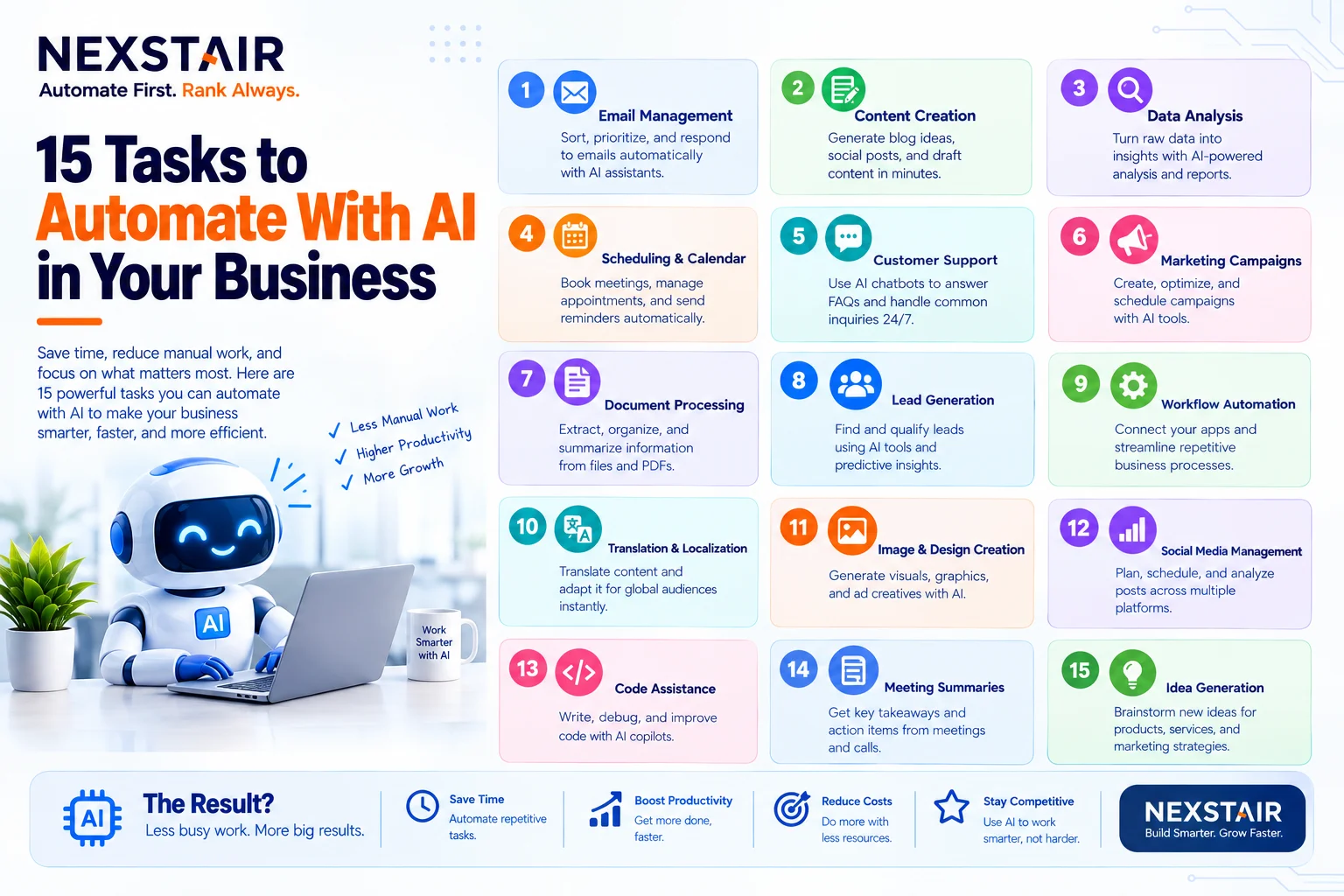
15 Tasks to Automate With AI in Your Business
Every business has work that nobody enjoys and everybody does. Copying leads from a form into a spreadsheet. Chasing an...

How to Create a Social Media Content Calendar for a Small Business in 7 Steps
A social media content calendar (also called a social media posting schedule) is a dated plan that lists every post...
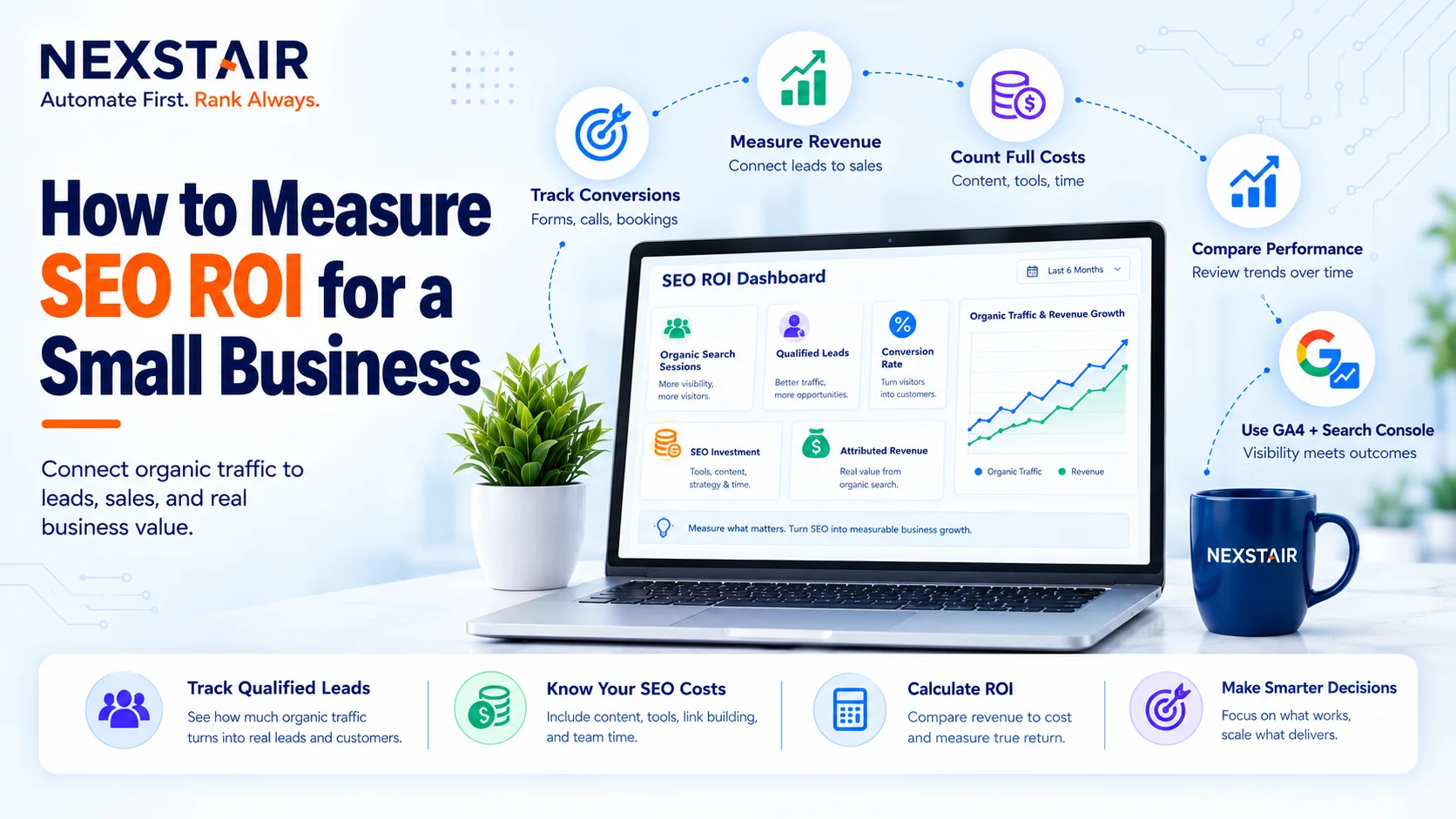
How to Measure SEO ROI for a Small Business
SEO ROI (search engine optimization return on investment) is the profit your organic search work returns, expressed as a percentage...

How Much Does a WordPress Website Cost in 2027?
If you search for the WordPress Website Cost, you will see answers ranging from $50 to $50,000. Nobody is lying...
Scale Your PPC Campaign Without Losing Budget
Scale your PPC campaign presents one of the most persistent dilemmas in digital marketing. When budgets increase, ad spend can...