
n8n vs Zapier vs Make: Which Automation Platform Fits Your Business
n8n vs Zapier is the comparison most growing businesses eventually run, usually twice: once when they pick a platform quickly, and again months later once the bill or the limitations catch up with them. Add Make into the mix and the decision gets harder, not easier, because all three platforms solve the same basic problem in fundamentally different ways.
Zapier launched in 2011 and built its reputation on no-code simplicity. Make, formerly Integromat, positioned itself between Zapier’s simplicity and technical depth with a visual, node-based canvas. n8n, founded in Berlin in 2019, took the opposite approach: a source-available, self-hostable platform built for technical teams who want full control over their automation infrastructure.
This guide breaks down ease of use, integration depth, pricing models, self-hosting, and AI workflow capabilities across all three platforms, then closes with the practical question every business actually needs answered: which one fits your specific situation.
Quick Overview: n8n vs Zapier vs Make
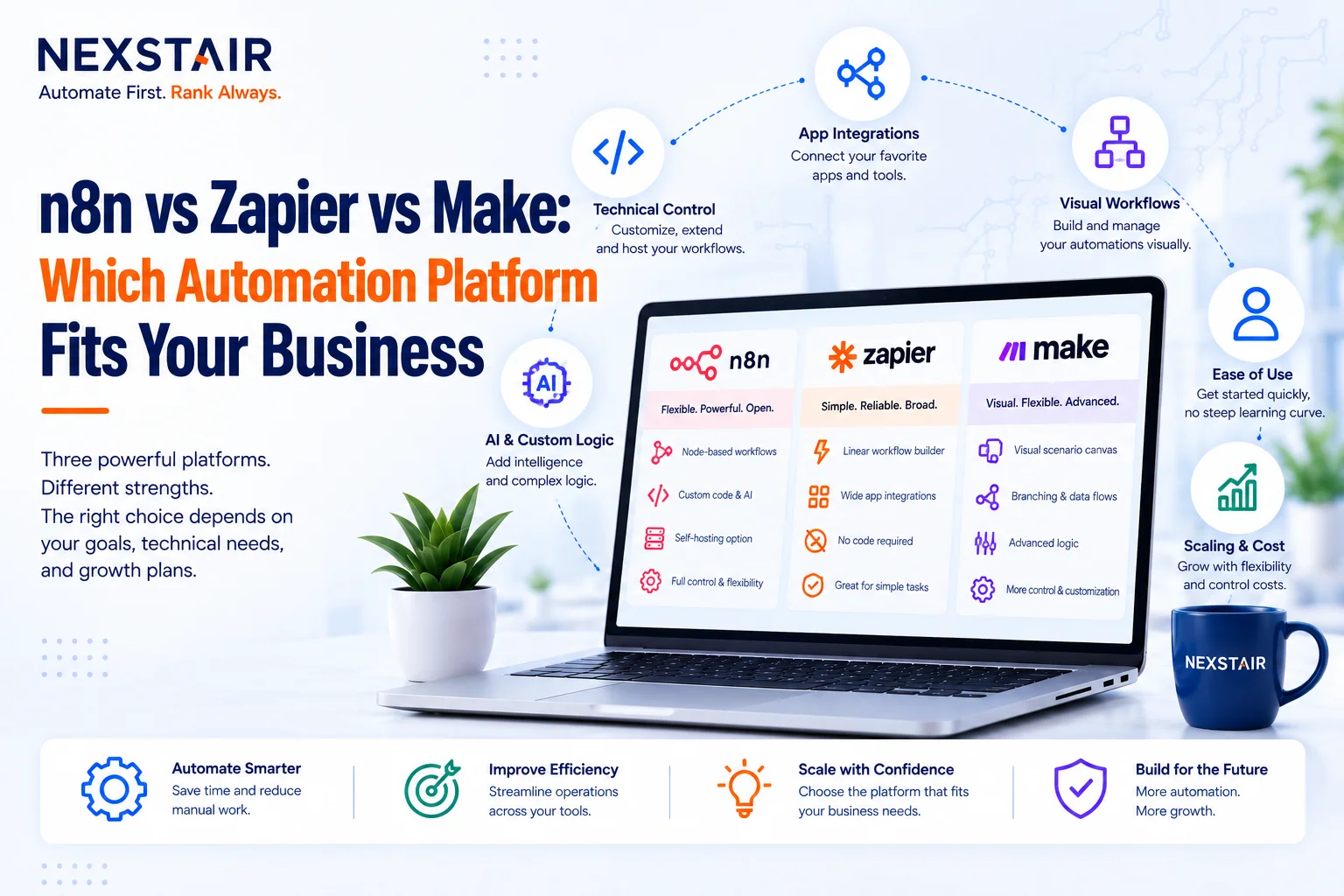
Each platform optimizes for a different priority.
- Zapier is the easiest to start with, offering a no-code interface and over 9,000 integrations, but costs scale quickly since it charges per task.
- Make balances accessibility and power through a visual, node-based builder with roughly 1,500 integrations, suited to teams that need branching, looping, and error handling without full engineering involvement.
- n8n offers a node-based architecture with around 1,000 native integrations, plus the ability to connect to virtually any service with an API through its HTTP node, giving it the most flexibility for teams with technical capacity.
The right choice depends less on connector counts and more on how workflows get built, how they behave under load, and who on your team is able to maintain them.
Ease of Use and Learning Curve
Zapier remains the benchmark for accessibility. Its interface was designed specifically for users without technical skills, letting non-technical teams launch working automations in minutes.
Make sits in the middle. Its visual interface is intuitive enough for non-technical operations teams, but supports considerably more complex, branching scenarios than Zapier’s linear step-by-step model.
n8n has the steepest learning curve of the three. Its node-based architecture offers tremendous versatility, including custom JavaScript and Python code within workflows, but that power assumes someone on the team is comfortable working at a more technical level. Businesses without that capacity in-house often bring in a dedicated AI automation agency to build and maintain n8n workflows rather than assigning the task to a non-technical operations hire.
Integrations and Connectivity
Zapier leads by raw connector count, with more than 9,000 integrations covering nearly every common business tool. Make offers around 1,500 integrations, but frequently provides deeper, more granular access to a connected app’s features than Zapier’s equivalent integration does.
n8n’s native catalog is the smallest of the three at roughly 1,000 integrations. In practice this matters less than it sounds, since n8n’s HTTP node and custom code capability let it connect to virtually any service with a public API, native integration or not. The real question isn’t which platform has more connectors; it’s whether the specific tools your business relies on are well supported, and whether the features you need are actually accessible through that integration rather than just nominally present.
Pricing Models Compared
Pricing structure is where the three platforms diverge most sharply, and where most teams get surprised.
Zapier charges per task, which escalates quickly for any multi-step or high-volume workflow. It’s the cheapest option to start and the most expensive option to scale.
Make prices around operations rather than individual tasks, generally offering better value than Zapier for moderately complex, multi-step workflows.
n8n uses execution-based cloud pricing with a generous free tier, or can be self-hosted for free entirely, though self-hosting isn’t actually zero cost. It requires budgeting for server infrastructure, maintenance, security updates, and backup management. For high-volume automation, self-hosted n8n is typically the cheapest option of the three once that infrastructure is accounted for, and it’s a common reason businesses bring in outside AI automation agency to set up and maintain the self-hosted environment properly from the start.
Self-Hosting and Data Control
Self-hosting is n8n’s clearest structural advantage. It ships under a fair-code, source-available license, meaning the code is publicly viewable and can be self-hosted on private infrastructure, though it cannot be resold as a competing service.
Self-hosting matters most when data cannot leave your infrastructure for compliance or privacy reasons, when per-task or per-operation pricing becomes prohibitive at volume, or when custom integrations require direct database or internal API access. Neither Zapier nor Make offers a comparable self-hosted option; both are fully cloud-based, with hosting, maintenance, and security handled on the vendor’s side.
AI Workflow Capabilities
All three platforms now support AI integrations, but with different strengths. Zapier is best suited to simple AI triggers spread across many connected apps, using its no-code interface to keep setup fast. Make handles workflows where AI output needs structured routing, cleanup, or conditional handling before it reaches downstream systems.
n8n is the strongest option for self-hosted AI workflows, custom model integration, or building more complex, agent-like automation pipelines that need full control over data. Because AI outputs are inherently less predictable than standard API responses, workflows built around them benefit from n8n’s flexibility to add review, validation, and routing steps a simpler no-code tool can’t easily support. This is also where a specialized AI automation partner tends to add the most value, since designing reliable AI agent workflows takes a different skill set than connecting two SaaS tools together.
Which Platform Fits Your Business
- Choose Zapier if your team is non-technical, your workflows are simple and linear, and speed of setup matters more than long-term cost at scale.
- Choose Make if your operations team isn’t technical but your workflows branch, loop, or need structured error handling that Zapier’s linear model can’t easily support.
- Choose n8n if you have engineering capacity in-house, expect high-volume automation, or have a compliance or cost reason to keep data on your own infrastructure.
Many growing businesses eventually combine platforms rather than picking one permanently, using Zapier for simple, broad connectivity and n8n or Make for the mega-throughput or complex logic Zapier wasn’t built to handle. Businesses without in-house engineering bandwidth to build and maintain that mixed setup typically work with an outside team instead of trying to staff it internally.
Support, Community, and Documentation
Support quality often decides how painful troubleshooting becomes once a workflow breaks in production, not just how easy it was to build in the first place.
Zapier offers the most mature support ecosystem of the three, backed by fifteen years of operation, extensive documentation, and a large community of users who’ve already solved most common integration problems. Its help center and template library mean most straightforward automations have a working example to copy rather than build from scratch.
Make’s documentation and community are smaller but still substantial, reflecting its position as the second-most established platform. Its scenario templates cover a wide range of common business workflows, and its support tends to be responsive given the platform’s mid-sized but engaged user base.
n8n leans heavily on community support through its own forum and a large catalog of community-built nodes, alongside official documentation aimed at a more technical audience. Since n8n is source-available, technical teams can also read the underlying code directly when documentation falls short, an option that doesn’t exist with either Zapier or Make.
Security and Compliance Considerations
Data handling requirements often narrow the decision faster than any feature comparison, particularly for businesses in regulated industries.
Zapier and Make are both fully cloud-hosted, meaning customer data passes through and is processed on the vendor’s infrastructure. Both platforms maintain standard security certifications and offer enterprise-tier compliance features, but neither gives a business direct control over where or how data is physically stored.
n8n’s self-hosting option changes this equation entirely. Because the platform can run on a business’s own servers, data never has to leave that infrastructure at all, which matters significantly for businesses in healthcare, finance, or any industry with strict data-residency or compliance requirements. This is frequently the deciding factor for businesses that would otherwise prefer Zapier’s simplicity but can’t accept a cloud-only architecture for regulatory reasons.
Scalability and Long-Term Cost
A platform that works well at ten workflows a month can behave very differently at ten thousand, and scalability is where the three platforms separate most clearly from each other over time.
Zapier’s per-task pricing model means cost grows in direct proportion to usage, which is manageable at low volume but can become the single largest software line item for a business running thousands of daily automations. Businesses that start on Zapier for its simplicity often find themselves reevaluating the platform once volume climbs, not because it stops working, but because it stops being cost-effective.
Make’s operation-based pricing generally scales more gently than Zapier’s, particularly for workflows with multiple steps bundled into a single scenario, since Make counts operations rather than individual triggered tasks.
n8n scales the most favorably at high volume, particularly when self-hosted, since cost becomes a function of server infrastructure rather than the number of workflow executions. A business running a handful of automations a month may find n8n’s setup overhead unnecessary; a business running thousands of executions daily often finds it’s the only option that keeps costs proportional to actual server load rather than task count. Businesses planning for that kind of scale from the outset frequently bring in custom AI automation workflows built directly around n8n’s self-hosted architecture, rather than migrating platforms later once Zapier’s per-task costs become unsustainable.
Migrating Between Platforms
Businesses rarely stay on their first automation platform forever, and understanding what a migration involves before committing helps avoid rebuilding everything from scratch later.
Moving from Zapier to Make is usually the most straightforward of the possible migrations, since both use a similar no-code, trigger-and-action model, even though Make’s branching logic requires some workflow restructuring. Moving from either Zapier or Make to n8n is a bigger undertaking, since n8n’s node-based, more programmatic approach doesn’t map one-to-one onto either platform’s simpler linear or branching models.
This is one of the more common reasons businesses bring in outside help specifically for a migration project rather than attempting it internally: rebuilding dozens of interdependent workflows on unfamiliar architecture, without introducing gaps or duplicate executions during the transition, takes a different skill set than building a new workflow from a blank canvas.
Real-World Use Cases by Business Size
The right platform often correlates closely with business size and internal technical capacity, though not perfectly.
Small businesses and solo operators typically gravitate toward Zapier, since simple lead-routing, notification, and data-sync workflows rarely justify the setup time n8n requires, and per-task costs stay manageable at low volume.
Mid-sized businesses with dedicated operations teams but limited engineering resources often land on Make, particularly once workflows need conditional branching, error handling, or multi-step logic that Zapier’s linear model handles awkwardly.
Larger businesses, or any business with in-house engineering capacity, more frequently choose n8n, especially once automation volume or data-sensitivity requirements make Zapier’s per-task pricing or cloud-only architecture impractical. Many of these businesses also run AI-driven workflows, like automated lead scoring, content generation pipelines, or customer service agents, which benefit from n8n’s flexibility to add validation and review steps around unpredictable AI outputs.
Frequently Asked Questions
Is n8n cheaper than Zapier?
For high-volume workflows, yes. n8n’s execution-based pricing and self-hosting option are generally cheaper at scale than Zapier’s per-task pricing, though self-hosting adds its own infrastructure costs.
Which platform is easiest for non-technical teams?
Zapier is the easiest to start with, built specifically for users without technical skills. Make is a close second, offering more workflow complexity while staying largely accessible to non-technical operations teams.
Can n8n do everything Zapier can do?
Mostly, and often more, but it requires more technical setup. n8n’s smaller native integration catalog is largely offset by its HTTP node and custom code capability, though teams need someone comfortable working at that technical level, or an outside AI automation agency to manage it.
Is Make better than Zapier?
It depends on workflow complexity. Make offers better value for branching, multi-step workflows, while Zapier remains faster to set up for simple, linear automations.
Do I need to self-host n8n?
No. n8n offers both a cloud version and a self-hosted option. Self-hosting makes sense mainly for compliance, data-residency, or cost reasons at high volume; the cloud version removes that infrastructure burden entirely.
Which platform is best for AI-powered automation?
n8n is generally strongest for complex, self-hosted AI agent workflows, Make handles structured AI output routing well, and Zapier is best for simple AI triggers across many connected apps.
Conclusion
n8n, Zapier, and Make all solve the same core problem, connecting your business tools into automated workflows, but they’re built on fundamentally different philosophies. Zapier prioritizes speed and accessibility, Make balances power with usability, and n8n prioritizes flexibility, control, and cost efficiency at scale for teams with the technical capacity to use it. The right choice comes down to your team’s technical skill level, workflow complexity, and how much control you need over where your data lives, not which platform has the longest integration list.
Recent Posts
Related Posts
n8n vs Zapier vs Make: Which Automation Platform Fits Your Business
n8n vs Zapier is the comparison most growing businesses eventually run, usually twice: once when they pick a platform quickly,...

What Is Topical Authority and Why Google Rewards It in 2026
Topical authority is Google's measure of how comprehensively and credibly a website covers a specific subject area, evaluated across an...

What is E-E-A-T: How Google Judges Trust and Expertise
You have probably seen the acronym everywhere: E-E-A-T. Every SEO article mentions it, every agency pitch leans on it, and...

How to Optimize Content for AI Search: A Semantic SEO Guide to GEO, AEO and AIO
AI search optimization is the practice of structuring content so tools like Google AI Overviews, ChatGPT, and Perplexity can retrieve,...

How Does Mobile App Development Process? A Step-by-Step Guide
Building a mobile app involves much more than writing code. A successful application starts with an idea, moves through research...