
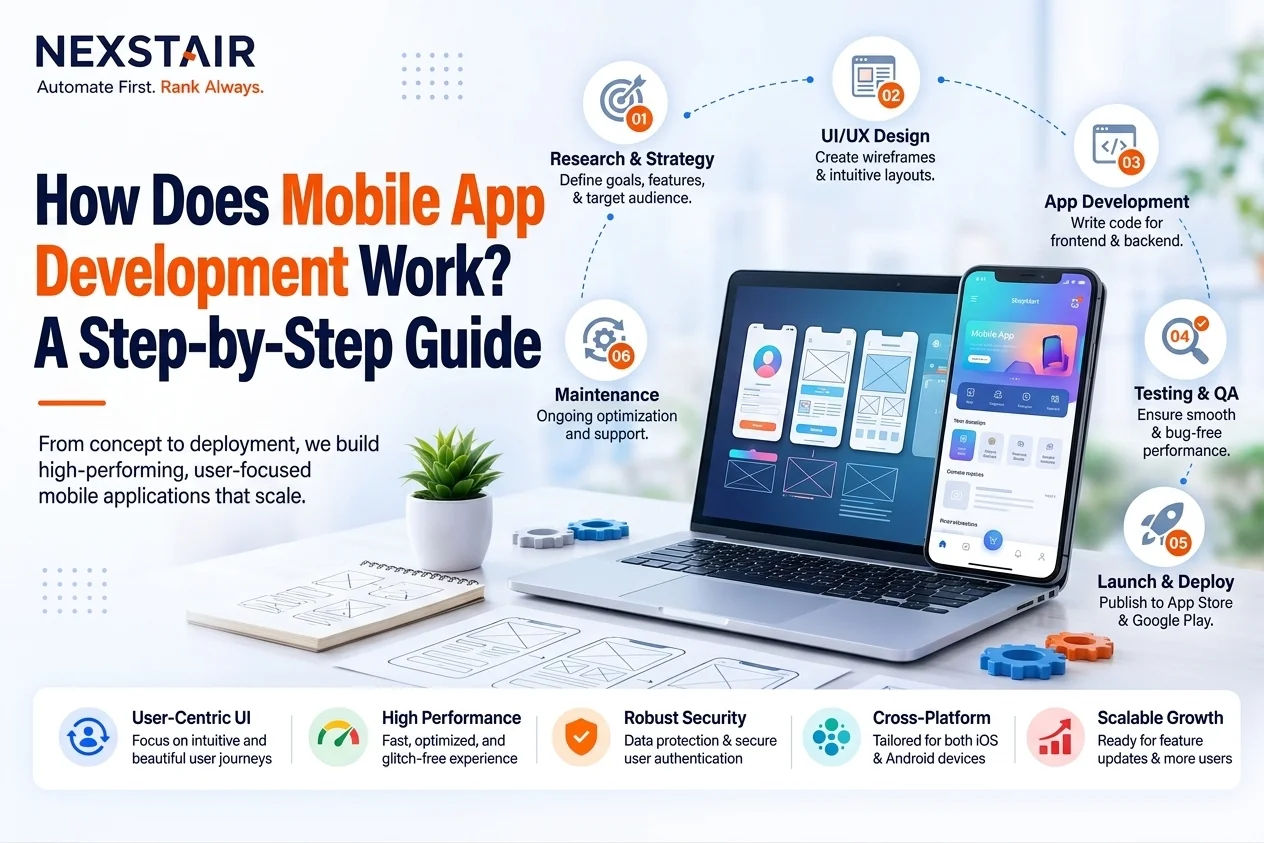
How Does Mobile App Development Process? A Step-by-Step Guide
Building a mobile app involves much more than writing code. A successful application starts with an idea, moves through research and planning, and then goes through design, development, testing, deployment, and ongoing improvement.
For businesses and startups in the United States, understanding the mobile app development process can make it easier to plan a project, choose the right technology, manage expectations, and create an application that solves a real customer problem.
Whether you are planning an iOS app, Android application, or cross-platform product, the development lifecycle generally follows a series of connected stages.
What Is Mobile App Development?
Mobile app development is the process of designing, building, testing, deploying, and maintaining applications for mobile devices such as smartphones and tablets.
Developers can create applications for platforms such as Apple’s iOS and Google’s Android. Depending on the project requirements, a team may use native technologies such as Swift and Kotlin or cross-platform frameworks such as Flutter and React Native.
A typical mobile app project can involve several specialists, including:
- Product managers
- Business analysts
- UI/UX designers
- Mobile developers
- Backend developers
- QA testers
- Security specialists
- Project managers
The exact team depends on the size and complexity of the application.
How Does the Mobile App Development Process Work?
The mobile app development process typically moves through several stages. Each stage contributes to the final product and helps reduce technical, usability, and business risks.
Here is a step-by-step overview.
1. Define the App Idea and Goals
Every mobile application starts with a problem that needs to be solved or an opportunity that a business wants to pursue.
Before development begins, the team needs to understand what the application is supposed to accomplish.
Important questions include:
- What problem will the app solve?
- Who will use it?
- What makes the app useful?
- What are the main business goals?
- Which features are essential for the first version?
For example, a U.S. retail business might want an app that allows customers to browse products, place orders, receive notifications, and track deliveries.
Defining these goals early helps prevent unnecessary features from expanding the project scope.
2. Conduct Market and User Research
Once the idea is defined, the next step is research.
Market research helps determine whether similar applications already exist and what competitors are doing well or poorly. User research focuses on the people who will actually use the application.
Research can include:
- Competitor analysis
- Customer interviews
- Surveys
- User personas
- Market trends
- Existing customer feedback
- Feature comparisons
For businesses targeting U.S. customers, research should also consider local customer expectations, purchasing behavior, accessibility requirements, privacy concerns, and the competitive landscape.
The goal is not simply to copy competing apps. Instead, research should identify opportunities to create a better or more useful user experience.
3. Create Requirements and Plan the App
After research, the project moves into detailed planning.
The development team converts the business idea into technical and functional requirements. This stage defines what the application needs to do and how different components will work together.
Planning may include:
- Core features
- User roles
- User journeys
- Functional requirements
- Technical requirements
- Third-party integrations
- Database requirements
- Security requirements
- Development milestones
The team may also decide which features should be included in the initial version and which can be introduced later.
Good planning gives developers and stakeholders a shared understanding of the project before significant development resources are invested.
4. Design the App UI and UX
Before developers build the application, designers create the user experience and interface.
UI refers to the visual elements users interact with, while UX focuses on how easily and effectively users can complete tasks.
The design process may include:
- User flows
- Wireframes
- Prototypes
- Visual design
- Interactive elements
- Usability reviews
For example, an ecommerce application might need a simple journey from product discovery to checkout. A complicated interface could cause users to abandon their purchase.
Designers therefore focus on navigation, readability, accessibility, consistency, and ease of use.
A prototype can also allow stakeholders to review the experience before developers begin building the final product.
5. Choose the Right Development Technology
Technology selection is another important part of the mobile app development lifecycle.
There are two common approaches: native development and cross-platform development.
Native App Development
Native applications are built specifically for a particular operating system.
For example:
- Swift is commonly used for iOS development.
- Kotlin is commonly used for Android development.
Native development can provide strong platform integration and performance, particularly for applications that require advanced device capabilities.
Cross-Platform App Development
Cross-platform frameworks allow developers to build applications for multiple platforms using a shared codebase.
Popular options include:
- Flutter
- React Native
This approach can be useful when a business wants to support both iOS and Android while reducing duplicated development work.
The best choice depends on factors such as performance requirements, project scope, available resources, device features, and long-term maintenance.
6. Develop the Mobile App
Once the requirements and designs are ready, developers begin building the application.
Mobile development commonly involves both the client-side application and supporting backend systems.
Front-End Development
The front end is the part of the application users see and interact with.
Developers implement:
- Screens
- Navigation
- Forms
- Buttons
- Animations
- User interactions
- Device features
Back-End Development
The backend handles data and business logic that may not run directly on the user’s device.
It can include:
- Servers
- Databases
- Authentication
- APIs
- Cloud services
- Business logic
For example, when a customer signs into an ecommerce app, the application may communicate with a backend system to verify credentials, retrieve account information, display products, and process orders.
7. Integrate APIs and Third-Party Services
Many modern applications depend on external systems.
APIs allow different software systems to communicate with each other. An app might use APIs for payment processing, maps, authentication, shipping, analytics, messaging, or other services.
Common integrations can include:
- Payment gateways
- Google Maps
- Social login
- Cloud storage
- Customer relationship management systems
- Analytics platforms
- Email and messaging services
API integration needs to be planned carefully because unreliable or poorly secured integrations can affect application performance and user experience.
8. Test the Mobile Application
Testing is an essential part of the mobile app development process.
Developers and QA teams test the application to identify bugs, usability problems, compatibility issues, security weaknesses, and performance problems.
Common testing activities include:
- Functional testing
- Usability testing
- Performance testing
- Security testing
- Device compatibility testing
- Regression testing
- Load testing
Testing across different screen sizes, operating system versions, and devices can help identify issues that may not appear during development.
The team then fixes identified problems and performs additional testing before release.
9. Prepare the App for Launch
After development and testing, the application needs to be prepared for distribution.
For iOS applications, this involves Apple’s App Store requirements. Android applications are generally distributed through Google Play.
Launch preparation can include:
- App name
- App icon
- Screenshots
- App description
- Privacy information
- Permissions
- Content ratings
- Store listing optimization
- Final quality checks
Businesses should also ensure that their privacy practices and data handling are clearly communicated to users.
10. Deploy and Launch the App
Once the application is ready, it can be submitted to the appropriate app marketplace.
The platform reviews the application before making it publicly available.
However, launching an application is not the end of development.
After release, teams need to monitor:
- App crashes
- Performance
- User feedback
- Reviews
- Adoption
- Engagement
- Technical issues
This information can reveal problems that were not discovered during pre-launch testing.
11. Maintain and Improve the App
Mobile applications require ongoing maintenance.
Operating systems change, devices evolve, security threats develop, and user expectations change over time. An application that is not maintained can eventually become outdated or unreliable.
Post-launch maintenance can include:
- Bug fixes
- Security updates
- Performance optimization
- OS compatibility updates
- New features
- UI improvements
- Database updates
- Third-party integration updates
User feedback and analytics can also help determine which improvements should be prioritized.
For businesses that need support across planning, development, testing, and deployment, working with an experienced mobile app development team can provide access to the technical expertise required throughout the lifecycle.
How Long Does Mobile App Development Take?
There is no single timeline for developing a mobile application.
A simple application with a limited number of features may take considerably less time than a complex platform involving payments, real-time communication, advanced integrations, or AI capabilities.
Factors that can affect development time include:
- Number of features
- App complexity
- UI/UX requirements
- Number of platforms
- Backend requirements
- Third-party integrations
- Testing requirements
- Security requirements
- Development team size
Instead of focusing only on the number of weeks or months, businesses should define the scope and priorities first. A clear scope makes it easier to create a realistic development timeline.
What Technologies Are Used in Mobile App Development?
The technology stack depends on the application’s requirements.
Common mobile development technologies include:
iOS: Swift and Apple’s development tools
Android: Kotlin and Android development tools
Cross-platform: Flutter and React Native
Backend: Node.js and other server-side technologies
Data: SQL and NoSQL databases
Communication: REST APIs and other API technologies
Infrastructure: Cloud hosting and cloud-based services
There is no universally best technology stack. The right choice depends on the application’s functionality, performance requirements, target platforms, budget, and long-term maintenance needs.
Native vs. Cross-Platform App Development
Native and cross-platform development both have advantages.
Native development is often appropriate when an application needs deep platform-specific functionality or maximum platform optimization.
Cross-platform development can be useful when a business wants to reach multiple platforms with a shared development approach.
The decision should consider:
- Performance
- Development complexity
- Platform requirements
- Device capabilities
- Maintenance
- Long-term product goals
A technical assessment before development can help determine which approach fits the application.
What Happens After a Mobile App Is Launched?
After launch, the application enters an ongoing improvement cycle.
Teams can use analytics and customer feedback to understand how people use the app and identify areas for improvement.
For example, analytics might reveal that users frequently abandon a particular screen. The development team can investigate the issue and improve the user experience.
Post-launch activities may include:
- Monitoring performance
- Reviewing user feedback
- Fixing bugs
- Releasing updates
- Improving security
- Adding features
- Optimizing user experience
This continuous process helps keep the application useful and competitive.
Common Mobile App Development Mistakes
Businesses can avoid many problems by identifying common mistakes early.
Building Without Understanding Users
An application can have excellent technology but still fail if it does not solve a meaningful user problem.
Adding Too Many Features
Trying to build everything in the first version can increase complexity and delay the launch.
Ignoring User Experience
A confusing interface can make even a technically strong application difficult to use.
Skipping Thorough Testing
Unresolved bugs and compatibility problems can damage user trust after launch.
Neglecting Security
Applications often handle sensitive information, making security an important consideration from the beginning.
Forgetting Post-Launch Maintenance
An app needs ongoing updates to remain compatible, secure, and useful.
Final Thoughts
The mobile app development process is a series of connected stages, beginning with an idea and continuing through research, planning, design, development, testing, deployment, and maintenance.
Understanding these stages helps businesses make better decisions before investing in an application. It also makes it easier to communicate with developers, establish realistic expectations, and prioritize the features that matter most to users.
Whether you are developing an app for a startup, ecommerce business, service company, or established organization, a structured development process provides a stronger foundation for a successful mobile product.
Frequently Asked Questions
1. What are the main stages of mobile app development?
The main stages include idea validation, market research, planning, UI/UX design, technology selection, development, API integration, testing, deployment, and ongoing maintenance.
2. How long does it take to develop a mobile app?
Development time depends on the app’s complexity, features, platforms, integrations, design requirements, and testing needs. Simple apps generally require less development time than complex applications.
3. What is the difference between native and cross-platform app development?
Native development creates an application specifically for iOS or Android, while cross-platform development uses technologies such as Flutter or React Native to support multiple platforms from a shared codebase.
4. Which programming languages are used for mobile app development?
Swift is commonly used for iOS development, while Kotlin is widely used for Android. Cross-platform applications may use technologies such as Dart with Flutter or JavaScript/TypeScript with React Native.
5. What happens after a mobile app is launched?
After launch, developers monitor performance, address bugs, release security and compatibility updates, analyze user feedback, and add improvements or new features as needed.
Recent Posts
Related Posts

A website redesign is exciting. New layout, fresh branding, better user experience. It is also one of the easiest ways...

Growing a travel brand on Instagram means turning attention on the platform into inquiries and paid bookings, not just a...

AI landing page design services are professional design and build engagements where a team combines AI prototyping and behavior analytics...
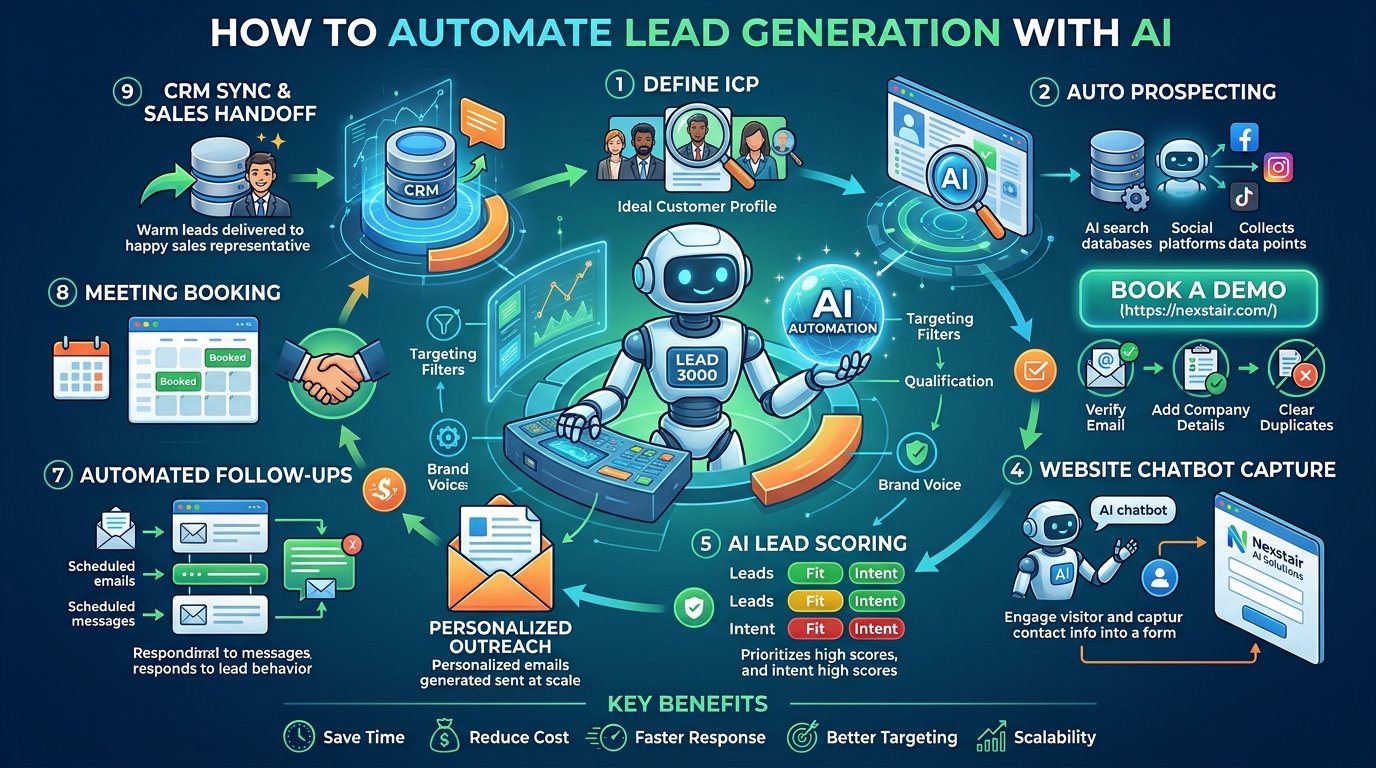
Learn how to automate lead generation with AI, from finding prospects and scoring leads to follow-ups and chatbots. A practical...
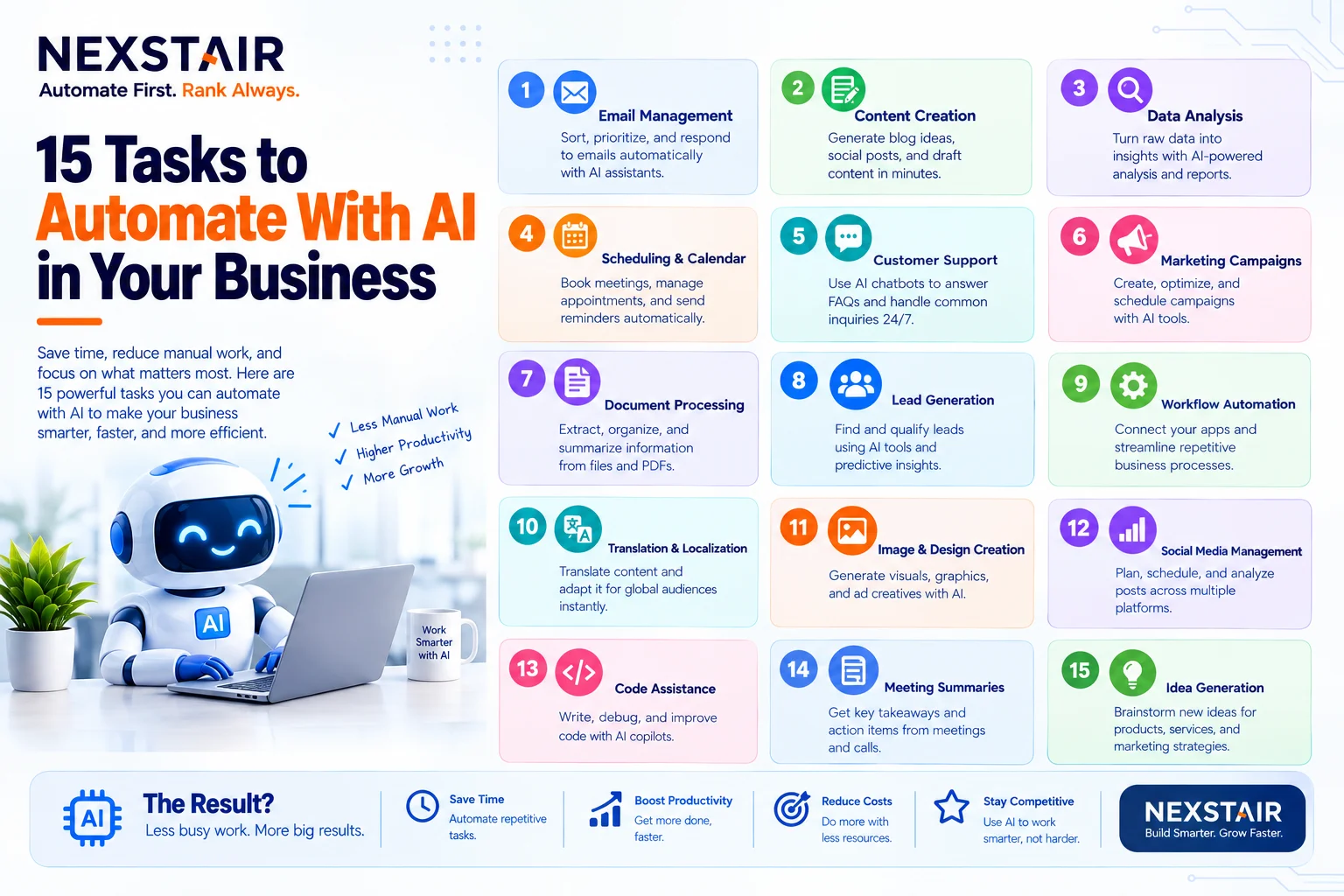
Every business has work that nobody enjoys and everybody does. Copying leads from a form into a spreadsheet. Chasing an...