
Web Development Process: From Planning to Launch
Introduction
A successful website doesn’t happen by chance—it is the result of a well-planned and structured web development process. Whether you’re building a corporate website, an eCommerce store, or a custom web application, following a proven development workflow helps ensure your project meets business objectives, delivers an excellent user experience, and performs well across search engines and devices.
Many businesses focus only on the final design or development stage, overlooking the strategic planning that happens before a single line of code is written. In reality, every successful website begins with understanding business goals, identifying user needs, selecting the right technologies, and creating a roadmap that guides the project from concept to launch.
A professional web development process minimizes costly revisions, improves collaboration, reduces development time, and creates a scalable website that can grow alongside your business. It also ensures your website is optimized for performance, security, accessibility, and search engine visibility from the very beginning.
In this guide, we’ll walk through each stage of the web development process—from initial planning and strategy to design, development, testing, launch, and ongoing maintenance. Whether you’re a business owner planning a new website or looking to redesign an existing one, understanding these steps will help you make informed decisions and achieve better results.
What Is the Web Development Process?
The web development process is a structured framework used to plan, design, build, test, launch, and maintain a website or web application. Rather than jumping directly into coding, professional development teams follow a sequence of phases that ensure every aspect of the project aligns with business goals, user expectations, and technical requirements.
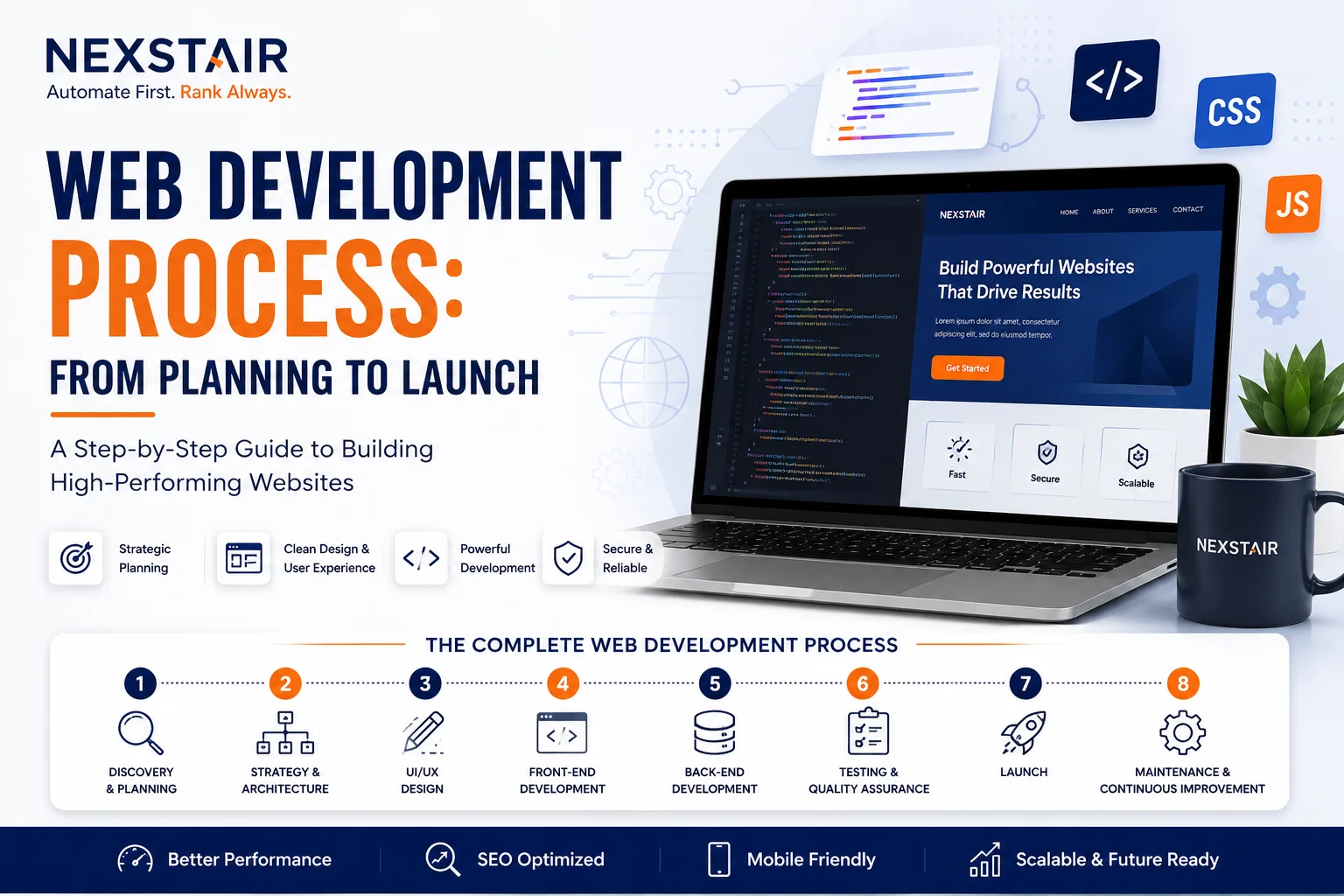
A complete web development process typically includes:
- Discovery and business analysis
- Planning and project strategy
- UI/UX design
- Front-end development
- Back-end development
- Content integration
- Quality assurance and testing
- Website launch
- Ongoing maintenance and optimization
Each phase builds on the previous one, reducing risks and ensuring the final product is functional, secure, scalable, and user-friendly.

Why a Structured Web Development Process Matters
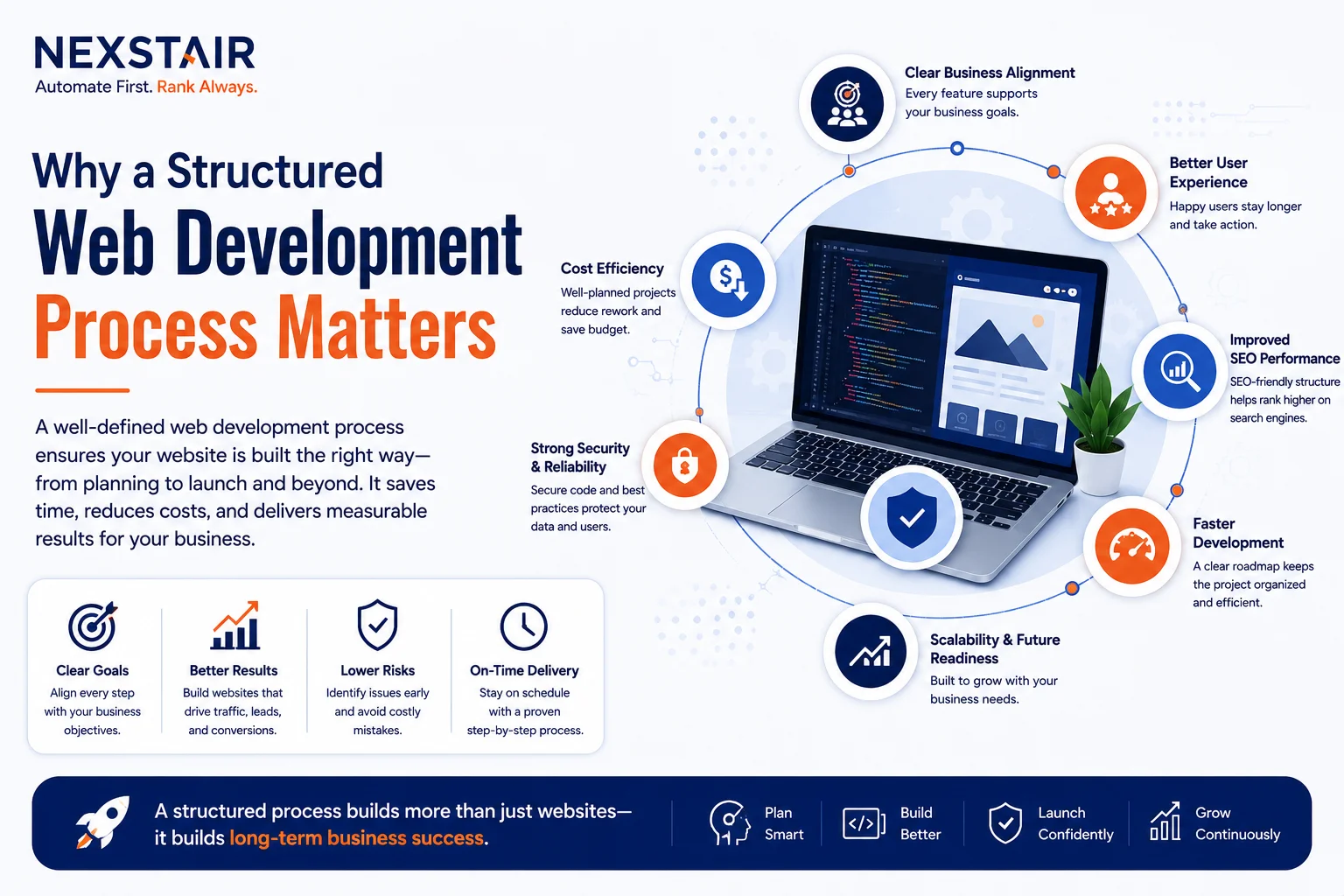
A structured approach to website development offers benefits that go far beyond creating an attractive website.
Clear Business Alignment
Every website should support specific business goals, whether that’s generating leads, selling products, increasing brand awareness, or providing customer support. Planning first ensures every feature contributes to those objectives.
Better User Experience
Understanding your audience allows developers and designers to create intuitive navigation, responsive layouts, and seamless interactions that keep visitors engaged.
Improved SEO Performance
SEO should be considered from the beginning—not added after launch. A structured process helps implement clean code, logical site architecture, optimized URLs, fast loading times, mobile responsiveness, and metadata that improve search engine visibility.
Faster Development
A detailed project roadmap reduces confusion, avoids unnecessary revisions, and keeps designers, developers, content creators, and stakeholders aligned throughout the project.
Scalability
A professionally built website should grow with your business. Choosing the right technology stack and planning for future features prevents expensive rebuilds later.
Enhanced Security
Integrating security best practices throughout development helps protect user data, prevent vulnerabilities, and maintain customer trust.
Step 1: Discovery and Requirement Gathering
The discovery phase lays the foundation for the entire project. Before any design or development begins, it’s essential to understand the business, its goals, target audience, and technical requirements.
During this stage, developers and stakeholders collaborate to answer important questions such as:
- What is the purpose of the website?
- Who is the target audience?
- What problems should the website solve?
- Which features and functionalities are required?
- What are the business objectives?
- What integrations are needed?
- What is the project timeline and budget?
Business Goals
Every project should have measurable objectives. These might include increasing online sales, generating more qualified leads, improving customer engagement, or streamlining internal operations.
Audience Research
Understanding your users helps shape every decision throughout the project. Factors such as demographics, user behavior, device preferences, and search intent influence navigation, design, and functionality.
Competitor Analysis
Reviewing competitor websites reveals opportunities to differentiate your business while identifying industry standards and user expectations.
Functional Requirements
This includes identifying essential website features such as:
- Contact forms
- User accounts
- Online payments
- Booking systems
- CRM integration
- Content Management System (CMS)
- Search functionality
- API integrations
A detailed discovery phase minimizes misunderstandings and creates a clear project roadmap.
Step 2: Planning and Strategy
Once project requirements are defined, the next phase focuses on creating a comprehensive development strategy. Proper planning ensures every stakeholder understands the project scope, timelines, responsibilities, and technical direction before development begins.
Creating the Sitemap
A sitemap outlines the structure of the website, showing how pages connect and how users will navigate through the content. A logical hierarchy improves both user experience and search engine crawling.
Typical pages may include:
- Home
- About
- Services
- Industry Solutions
- Blog
- Case Studies
- Contact
For larger websites, additional category pages and landing pages help organize content and improve discoverability.
Defining the User Journey
The user journey maps the steps visitors take from their first interaction to completing a desired action, such as submitting a contact form or making a purchase. Understanding this journey helps create intuitive navigation and strategically placed calls to action.
Choosing the Right Technology Stack
Selecting the appropriate technologies depends on project requirements, scalability, and future growth. Common options include:
- HTML, CSS, and JavaScript for front-end development
- React or Next.js for dynamic user interfaces
- PHP, Node.js, or Laravel for back-end development
- WordPress for content-driven websites
- Shopify or WooCommerce for eCommerce solutions
- MySQL or PostgreSQL for database management
The right technology stack ensures long-term performance, security, and maintainability.
Establishing Timelines and Milestones
Breaking the project into manageable phases helps track progress, allocate resources effectively, and ensure deadlines are met. Milestones also provide opportunities for client feedback before moving to the next stage.
A successful web development project starts long before coding begins. Careful discovery, strategic planning, and clear project goals create a strong foundation for every stage that follows. In the next part, we’ll explore how design concepts are transformed into functional interfaces through UI/UX design, front-end development, back-end development, and content integration.
Step 3: UI/UX Design – Creating an Engaging User Experience
Once the project requirements and development strategy are finalized, the next stage is designing how the website will look and function. While many people think web design is only about colors and layouts, professional UI (User Interface) and UX (User Experience) design focuses on creating intuitive, accessible, and engaging digital experiences.
An effective website should not only represent your brand but also guide visitors toward meaningful actions such as requesting a quote, making a purchase, or contacting your business.
Wireframing
Wireframes act as the blueprint of a website. They define the placement of important elements before visual design begins.
A wireframe typically includes:
- Navigation menu
- Hero section
- Content layout
- Call-to-action buttons
- Contact forms
- Footer structure
- Internal page hierarchy
Creating wireframes early allows businesses to validate layouts before investing time in visual design and development.
UI Design
The User Interface focuses on visual elements that users interact with every day. These include:
- Typography
- Brand colors
- Icons
- Buttons
- Images
- Cards
- Forms
- Interactive components
Consistency across every page strengthens brand identity and builds user trust.
UX Design
User Experience is about making every interaction simple, logical, and enjoyable.
A strong UX strategy considers:
- User behavior
- Navigation flow
- Mobile usability
- Accessibility
- Loading speed
- Content readability
- Conversion optimization
Businesses that prioritize UX often experience lower bounce rates, higher engagement, and improved conversion rates.
Responsive Design
Today, users access websites from desktops, tablets, and smartphones. Responsive design ensures the website automatically adapts to different screen sizes without sacrificing functionality or visual quality.
A responsive website improves user satisfaction and supports better search engine rankings since mobile usability is an important ranking factor.
Step 4: Front-End Development – Bringing the Design to Life
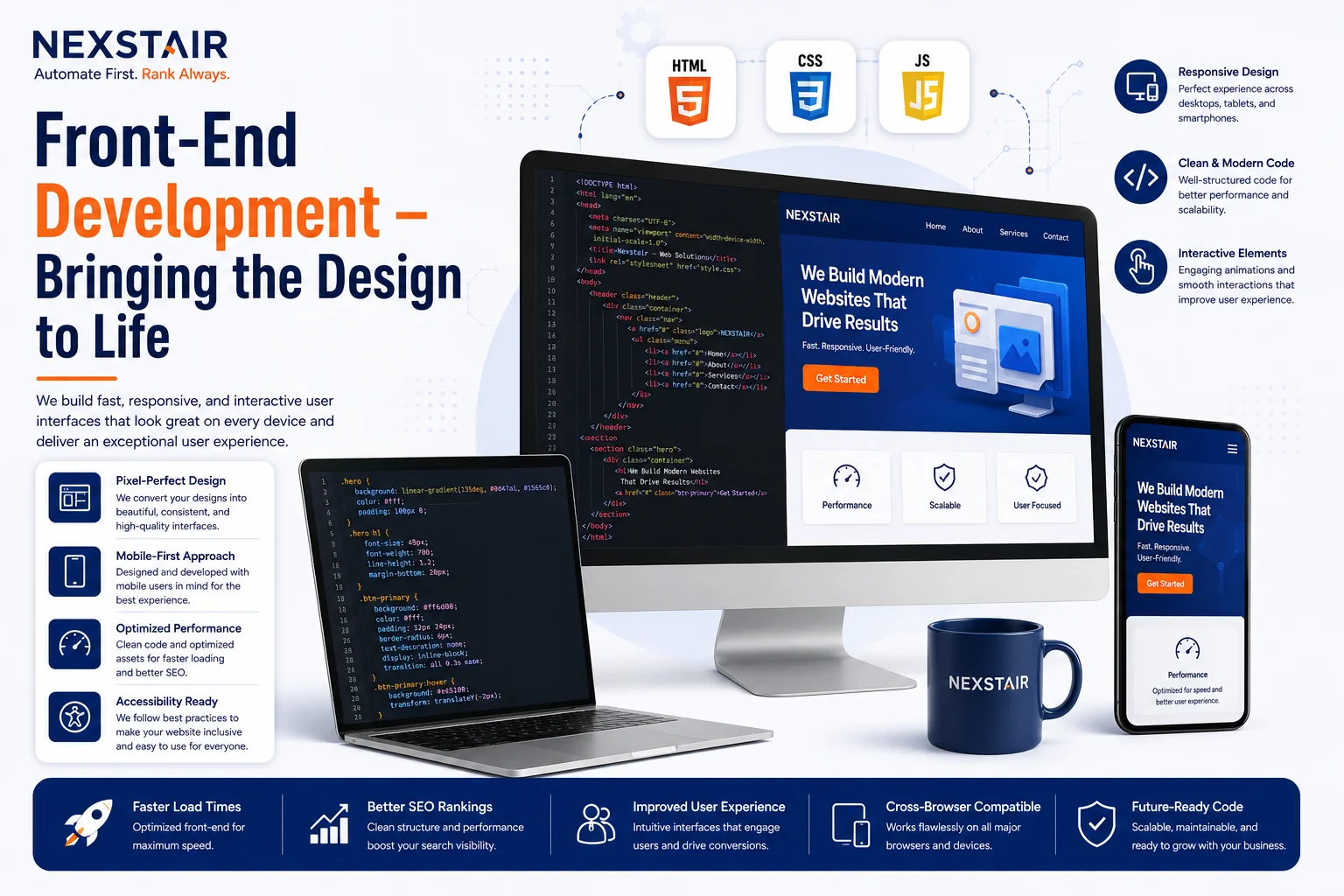
After the design is approved, developers begin transforming static layouts into interactive web pages.
Front-end development focuses on everything users see and interact with in their browsers.
Modern front-end development combines design with programming to deliver fast, responsive, and visually appealing experiences.
Core Front-End Technologies
Professional developers commonly use:
- HTML for page structure
- CSS for styling and layout
- JavaScript for interactivity
For advanced applications, modern frameworks such as React and Next.js help create scalable and high-performance websites.
Building Responsive Interfaces
Front-end developers ensure every page works seamlessly across:
- Desktop computers
- Laptops
- Tablets
- Smartphones
Navigation menus, images, buttons, forms, and content should automatically adjust to different screen sizes.
Performance Optimization
Website speed directly impacts user experience, search rankings, and conversions.
Front-end optimization includes:
- Minifying CSS and JavaScript files
- Optimizing images
- Lazy loading media
- Browser caching
- Code splitting
- Reducing unnecessary scripts
A faster website encourages visitors to stay longer and interact with your content.
Accessibility
Professional websites should be usable by everyone, including people with disabilities.
Developers improve accessibility by implementing:
- Proper heading hierarchy
- Alt text for images
- Keyboard navigation
- Color contrast
- Screen reader compatibility
- Accessible forms
Accessibility not only improves usability but also supports compliance with modern web standards.
Step 5: Back-End Development – Building the Website’s Functionality
While front-end development focuses on what users see, back-end development powers everything behind the scenes.
The back end manages data, user authentication, business logic, security, and communication between the website and external systems.
Without a reliable back-end architecture, even the best-designed website cannot function efficiently.
Server-Side Development
Back-end developers build the logic that handles:
- User registration
- Login systems
- Form submissions
- Payment processing
- Product management
- Customer accounts
- Business workflows
Common technologies include PHP, Node.js, Python, and Laravel, depending on the project’s complexity.
Database Management
Most websites store information in databases.
Typical data includes:
- Customer information
- Blog posts
- Products
- Orders
- Contact submissions
- User accounts
Well-designed databases improve performance, scalability, and data integrity.
API Integration
Modern websites often communicate with third-party platforms through APIs.
Common integrations include:
- CRM systems
- Payment gateways
- Email marketing platforms
- Live chat software
- Inventory systems
- Shipping providers
- Analytics tools
API integration automates business processes and improves operational efficiency.
Security Implementation
Security should be integrated throughout development—not added as an afterthought.
Essential security practices include:
- SSL certificates
- Secure authentication
- Password encryption
- Input validation
- Firewall configuration
- Malware protection
- Regular security updates
Protecting user data builds trust and reduces cybersecurity risks.
Step 6: Content Integration and SEO Optimization
A professionally developed website is incomplete without high-quality content.
Once development is complete, content is added while ensuring every page supports user experience and search engine visibility.
This stage includes:
- Website copy
- Images
- Videos
- Icons
- Calls to action
- Forms
- Downloadable resources
Content Structure
Well-structured content improves readability and helps users quickly find the information they need.
Best practices include:
- Clear headings
- Short paragraphs
- Bullet points
- Relevant visuals
- Internal links
- Descriptive anchor text
SEO-Friendly Implementation
Search engine optimization should be integrated during content implementation rather than after launch.
Important SEO considerations include:
- Optimized page titles
- Meta descriptions
- SEO-friendly URLs
- Heading hierarchy (H1–H3)
- Image optimization
- Internal linking
- Schema markup
- Mobile optimization
- Fast page speed
By combining strong content with technical optimization, businesses create websites that are valuable for both users and search engines.
Preparing for Launch
Before moving to the testing phase, every page should be reviewed for:
- Content accuracy
- Broken links
- Missing images
- Form functionality
- Mobile responsiveness
- SEO elements
- Consistent branding
Addressing these issues early helps ensure a smoother website launch.
At this stage, the website has transformed from a concept into a fully functional digital platform. However, before it goes live, it must undergo comprehensive testing to ensure performance, security, and usability. In the final part of this guide, we’ll cover quality assurance, website launch, post-launch maintenance, common web development mistakes, and frequently asked questions to complete the web development process.
Step 7: Testing and Quality Assurance (QA)
Before a website is launched, it should go through a comprehensive testing and quality assurance (QA) process. This stage ensures that every page, feature, and interaction works as intended while providing a smooth experience for users across different devices and browsers.
Launching a website without proper testing can lead to broken forms, navigation issues, slow performance, or security vulnerabilities that negatively impact user trust and search engine rankings.
Functional Testing
Every feature should be tested to verify it performs correctly.
This includes checking:
- Navigation menus
- Contact forms
- Search functionality
- Login and registration
- Payment gateways
- Booking systems
- Interactive elements
- Call-to-action buttons
Cross-Browser Compatibility
Visitors may use different browsers such as Chrome, Safari, Firefox, or Edge. Testing across multiple browsers ensures the website displays and functions consistently regardless of the user’s choice.
Mobile Responsiveness
With most users accessing websites from mobile devices, responsive testing is essential. Developers should confirm that layouts, images, buttons, and forms adapt seamlessly to different screen sizes.
Performance Testing
Website speed plays a major role in user satisfaction and SEO. During testing, developers analyze:
- Page load speed
- Server response time
- Image optimization
- JavaScript execution
- CSS efficiency
- Core Web Vitals
A fast website improves engagement and helps reduce bounce rates.
Security Testing
Security testing verifies that the website protects sensitive information and minimizes potential risks.
Key checks include:
- SSL certificate validation
- Secure login systems
- Malware scanning
- Input validation
- Permission management
- Backup functionality
Step 8: Website Launch
Once testing is complete and all issues have been resolved, the website is ready for deployment.
A successful launch involves much more than simply uploading files to a server. It requires careful planning to avoid downtime and ensure a smooth transition.
Launch Checklist
Before making the website live, confirm that:
- Domain is correctly configured.
- Hosting environment is optimized.
- SSL certificate is active.
- Website backups are created.
- Analytics tools are installed.
- Search Console is configured.
- XML sitemap is generated.
- Robots.txt is reviewed.
- Redirects are implemented where necessary.
- SEO metadata is verified.
- Contact forms are functioning.
- Performance has been tested after deployment.
Completing this checklist helps prevent common launch-day issues and ensures the website is ready for both visitors and search engines.
Step 9: Website Maintenance and Continuous Improvement
A website is never truly finished. Technology evolves, customer expectations change, and search engines regularly update their algorithms. Ongoing maintenance keeps your website secure, functional, and competitive.
Regular Updates
Software, plugins, themes, and frameworks should be updated to maintain compatibility and reduce security risks.
Security Monitoring
Continuous monitoring helps identify suspicious activity before it becomes a serious problem. Businesses should regularly review access logs, backups, and security alerts.
Performance Optimization
Over time, new content, plugins, and integrations can affect website speed. Regular optimization ensures visitors continue to enjoy a fast and reliable experience.
Content Updates
Keeping content fresh improves user engagement and supports long-term SEO performance. Updating outdated information, adding new case studies, and publishing relevant blog content demonstrates expertise and authority.
SEO Monitoring
Search performance should be reviewed regularly using analytics and search data. Monitoring keyword rankings, organic traffic, and user behavior helps identify opportunities for continuous improvement.
Common Web Development Mistakes to Avoid
Many website projects experience delays or underperform because of avoidable mistakes.
Some of the most common include:
- Starting development without clear business goals.
- Ignoring user experience during planning.
- Choosing technologies that don’t fit project requirements.
- Overlooking mobile responsiveness.
- Neglecting website performance optimization.
- Failing to implement SEO best practices.
- Weak security measures.
- Poor content organization.
- Skipping testing before launch.
- Not planning for ongoing maintenance.
Avoiding these issues helps create a website that performs well today and remains valuable in the future.
Why Businesses Choose Professional Web Development
A professionally developed website is more than an online presence—it is a business asset that supports marketing, sales, and customer engagement.
Professional web development offers benefits such as:
- Better user experience
- Faster loading speeds
- Improved security
- Mobile responsiveness
- SEO-friendly architecture
- Scalable infrastructure
- Easier maintenance
- Higher conversion potential
- Stronger brand credibility
For businesses investing in long-term digital growth, following a structured web development process provides a solid foundation for success.
How Nexstair Technologies Supports Your Web Development Journey
At Nexstair Technologies, we follow a strategic and transparent web development process that combines planning, user-focused design, modern technologies, and technical best practices.
Our team works closely with clients to understand their business goals before creating websites that are secure, responsive, scalable, and optimized for performance.
Whether you need a corporate website, an eCommerce platform, or a custom web application, our goal is to deliver solutions that support measurable business growth while providing an exceptional user experience.
Frequently Asked Questions
How long does the web development process take?
The timeline depends on the project’s size and complexity. A standard business website may take several weeks, while larger custom platforms can require several months.
Why is planning important before development begins?
Planning helps define goals, identify requirements, reduce project risks, and create a clear development roadmap.
What’s the difference between web design and web development?
Web design focuses on the appearance and user experience, while web development involves building the functionality and technical infrastructure that powers the website.
Why should SEO be included during development?
Integrating SEO from the beginning helps create a search-friendly website with clean code, optimized structure, fast performance, and better visibility in search engines.
Why is responsive design important?
Responsive design ensures a consistent experience across desktops, tablets, and smartphones, improving usability and supporting mobile search rankings.
Recent Posts
Related Posts
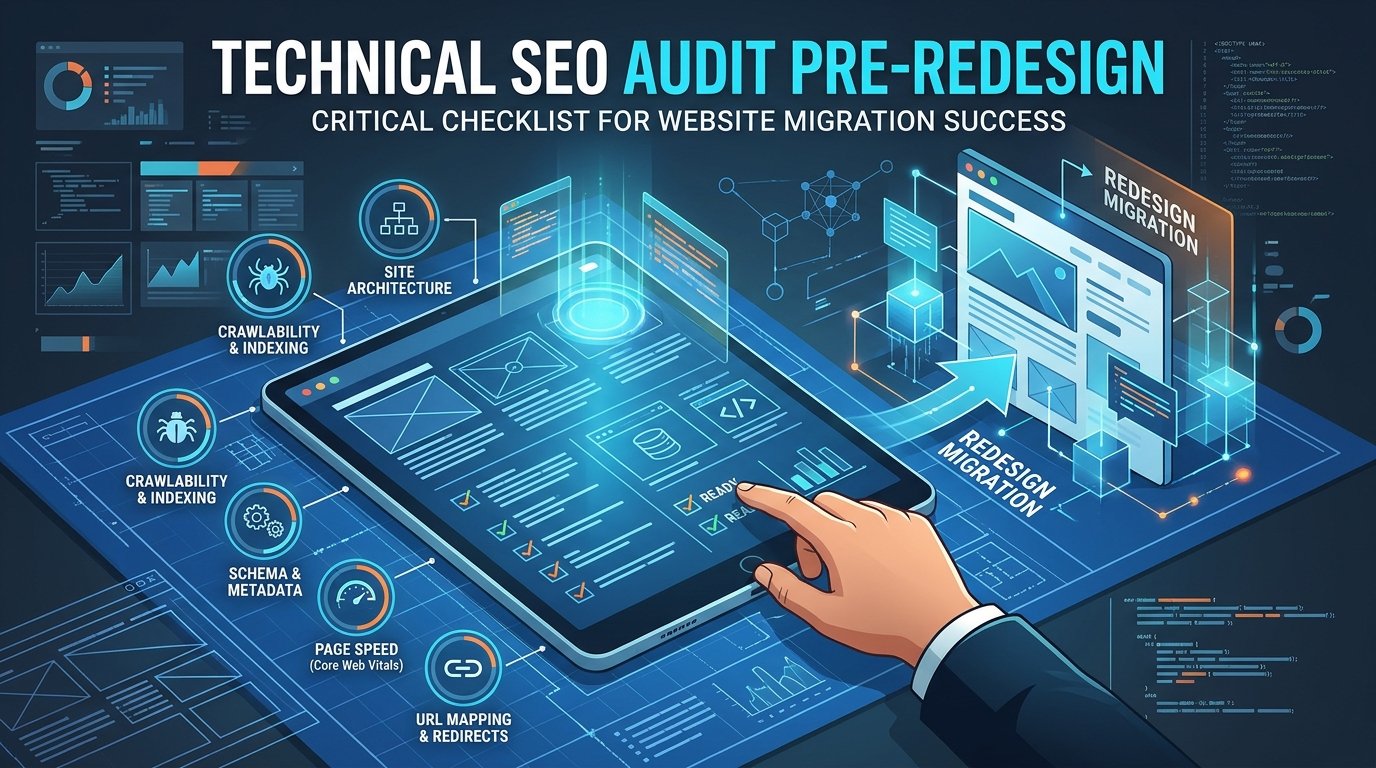
A website redesign is exciting. New layout, fresh branding, better user experience. It is also one of the easiest ways...

Growing a travel brand on Instagram means turning attention on the platform into inquiries and paid bookings, not just a...

AI landing page design services are professional design and build engagements where a team combines AI prototyping and behavior analytics...
Learn how to automate lead generation with AI, from finding prospects and scoring leads to follow-ups and chatbots. A practical...
Every business has work that nobody enjoys and everybody does. Copying leads from a form into a spreadsheet. Chasing an...